Has pinning your organization's GitHub Actions (GHAs) to 40-character SHAs been on your to-do list since the tj-actions/changed-files incident in early 2025? If so, this blog is for you! Please learn from my mistakes as I walk you through how I made ~80 PRs in a couple days and turned on org-wide enforcement across ~350 GitHub repositories.
If you’re in a rush and want to skip the life story and go straight to the recipe, jump to The Rollout Guide at the end of this blog post.
incident tl;dr - Attackers changed every tagged release to point to a malicious commit. If your code was referencing tj-actions/changed-files by tag, e.g. uses: tj-actions/changed-files@v44.1.0 instead of uses: tj-actions/changed-files@some40charSHA, then when your GitHub Action ran it would pull in malicious code.
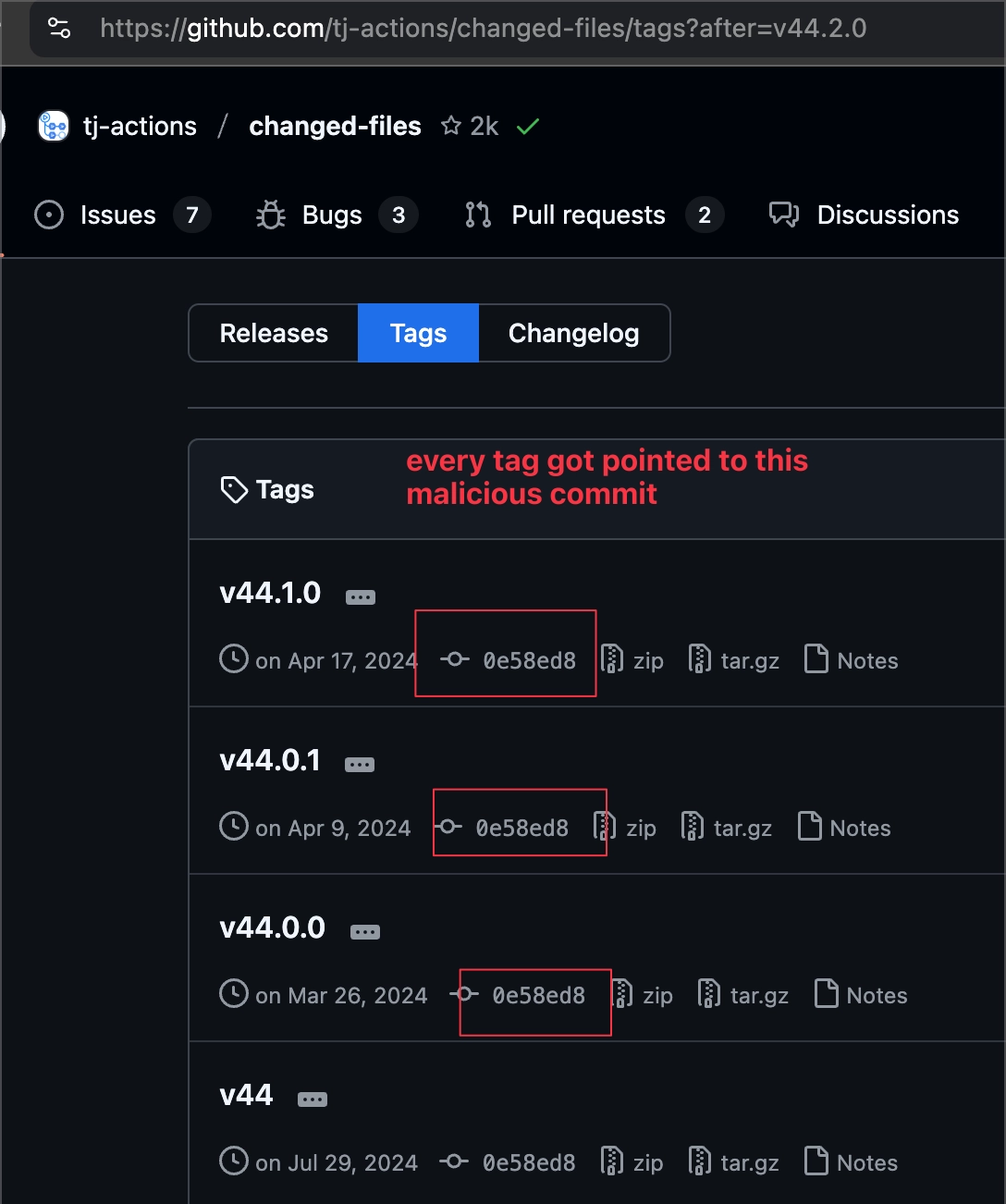
Image source: https://github.com/tj-actions/changed-files/issues/2464#issuecomment-2726055302
Some folks in the industry had raised concerns about this risk before, but this incident was a loud wake-up call. Unfortunately pinning everything org-wide is kind of a hassle, and GitHub doesn’t make enforcement easy (rant on that later).
I’ll walk you through how I enabled the GitHub setting “Require actions to be pinned to a full-length commit SHA” org-wide. Most of the work took just a couple days.
How the “Require actions to be pinned to a full-length commit SHA” setting works
If you enable this setting, GitHub will check that things are pinned prior to running your GitHub Action. If they aren’t you’ll get this error.
 If you’re thinking “how hard could this be? there’s gotta be tools that can handle converting
 actions/cache@v4 to actions/cache@sha,” then you’re partially right. There are plenty of tools out there.
The problem is that there are other actions you need to take, and pinning v4 is the easiest one to fix.
To turn on this setting without breaking things you need to eliminate:
Tags
❌ actions/cache@v4
✅ actions/cache@057852bfaa89a56745cba8c7296529d2fc39830
Branches
❌ your-org/some-internal-action@main
✅ your-org/some-internal-action@caa296126883cff596d87d8935842f9db880ef25
Transitively unpinned actions
❌ action1@sha uses unpinned/action@v1
✅ gl;hf
GitHub rant
GitHub could definitely make enabling this setting easier, which is especially frustrating since similar functionality already exists in GitHub Rulesets.
There’s no way to see aggregate failures in the UI. Something like Rule insights and evaluation mode would be great. That would allow you to see what will break without actually breaking things.
Enforcement is either per-repo or org-wide, no exceptions. Being able to enforce this setting for:
“all repos except x, y, z”
“all Actions except a, b, c”
“direct actions only”
“repos created after x date”
Having an evaluation mode and more flexibility would help organizations ratchet up enforcement over time. I think enabling this org-wide at a large organization would be fairly challenging.
Thankfully, the “Require actions to be pinned to a full-length commit SHA” setting exists both at the repository level and the organization level, meaning that you can turn this on for specific repos. This gives you the opportunity to break things on a smaller scale as you learn how your org uses GitHub Actions.
It would also be interesting to incorporate immutable releases into the enforcement. Maybe something that exempts actions that are “immutable all the way down.” This would also encourage more GHAs to use immutable releases. Requiring everyone to transitively pin everything is kind of annoying.
How I got started
Step 1: open Claude and enter /goal enable github action sha pinning, make no mistakes
Step 2: Done
Thankfully it isn’t that easy yet or I might be out of a job. 😅
The way I start most projects of this style (do small/medium-sized thing across a bunch of repos) is to do a handful of repos by myself or supervising Claude Code. I’ve found this is a good way to stumble into some problems, fix them, and learn things along the way. This makes future efforts less error-prone. When you build automation you already know the edge cases instead of hitting them for the first time at scale.
In this case, I ran a tool that pins Actions to SHAs, put up a PR, merged it, and enabled the enforcement setting for that repo. Done! One repo down, 350 more to go. ✅
Except I wasn’t done. I actually broke CI for that repo. 😬 The pinning tool I ran only pinned tags, not branches, and we reference some internally developed Actions by branch.
Easy enough, I’ll just grab the most recent commit and replace main. Great, back to 1 of 350. Actually, whoops, broke CI again. Let’s turn the setting off again, 0/350.
Turns out the referenced Actions had their own unpinned actions. The setting requires everything to be pinned all the way down. Thankfully after pinning those, and updating the commit in the first repo, I was up to 2/350.
I did a few more repos, we’ll call it 8 of 350, using the same process without issue and felt like org-wide enforcement would be within reach after I automated my current process.
What to do about updates
When I started this project, I was working on a few other things and just poking at this when I had extra time. A few weeks went by, and the problem was getting slightly worse as people were adding repos. But, the existing repos hadn’t run into any new problems, so at least I had that going for me.
Then Alex from Infra reached out because he was trying to come up with a good way to keep SHA pinned GitHub Actions up-to-date. Remember those Actions I changed from semgrep/internal-action@main to @sha? People were used to the calling repos getting the latest version of semgrep/internal-action automatically instead of having to update the SHA.
Thankfully the scale of my changes was small, so putting up a couple PRs to the repos that reference this internal action was pretty quick, but we needed to come up with a better long-term solution.
Dependabot or Renovate can help with this. And both support cooldowns! 😍 Our infra team ended up choosing Renovate because it could support updating Helm Charts in addition to GitHub Actions. If Dependabot works for your needs I’d probably start there, but Renovate has been great.
Renovate runs every weekday morning:
Semgrep-authored Actions - updated without cooldown
Third-party Actions - minor and patch updates, 7 day cooldown. Major updates require a separate PR.
We still had the problem of how to onboard repos to Renovate, but I’ll cover that later.
Understanding the scope
Once I was ready to start the march towards org-wide enforcement, I decided to have Claude write a script to assess the pinning state of a given repo. The goal was to detect problems before turning on the repo-level pinning requirement to avoid breaking things.
As mentioned previously, the three buckets are: direct tags, direct branches, transitives. Both tags and branches can be transitively unpinned, but it makes sense to alert on the Action you call directly, even if it is pinned, since that is where your investigation will start.
Once the script was working, I needed a way to run this org-wide so I could understand how much work was ahead of me. To do this I used Semgrep Agentic Workflows. The linked blog is mostly about finding Bad Stuff™️ using a combination of AI and traditional static analysis but at the end of the day Semgrep Agentic Workflows are Python so you can do whatever you want. Claude converted the script it had been running locally to a Workflow and I ran it across all our repos in parallel using the pre-existing Workflows infrastructure.
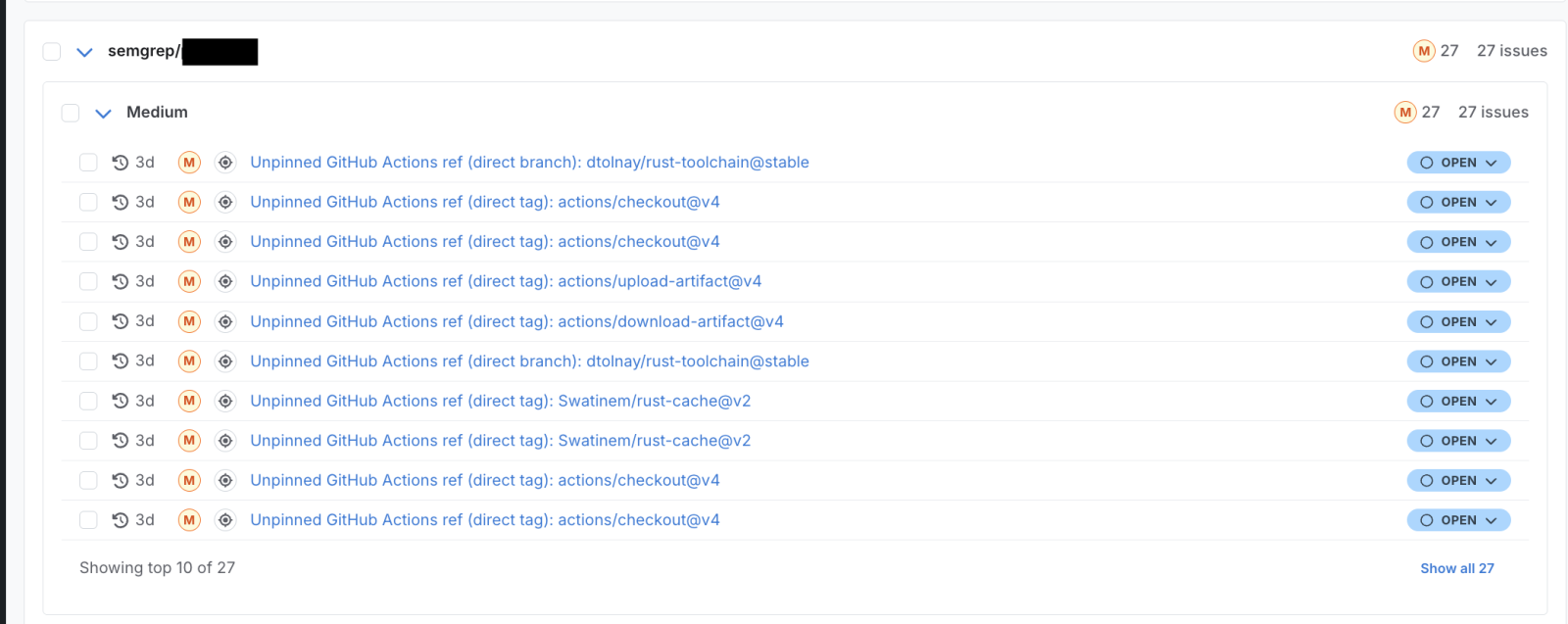
Semgrep Workflows UI
Why not a Semgrep rule? A Semgrep rule like this one could be used to find unpinned direct tags and branches, but you need to call the GitHub API to know if things are transitively pinned as well.
Composite Actions vs. Reusable Workflows
GitHub has two ways to share reusable CI logic across repos, and the pinning requirement treats them differently.
tl;dr:
Composite Actions - need to be pinned 📌
Reusable Workflows - do not need to be pinned (but can be)
Actions within a Composite Action or Reusable Workflow - need to be pinned 📌
e.g. referencing some-reusable-workflow@main is fine, but if some-reusable-workflow calls actions/cache, it needs to be actions/cache@sha, not @v4
You can read more about the differences here, and I recommend doing so if you embark on a similar journey. I didn’t do this and I ended up pinning some things that weren’t necessary and also missed pinning some things that were necessary. This is also an area where Claude made mistakes so pay extra attention 🤖
Pin all the things!
Direct Tags
Repos that just have direct tags are individually easy peasy. Run pinact, put up a PR, done. But what about scaling this across repos? As you might’ve guessed, Semgrep Agentic Workflows. Creating a Workflow to pin and open a PR is pretty easy. If you’re already a Semgrep customer, you can use my Workflows and save yourself some time.
If you’re not a Semgrep customer you could create a GitHub App, give it access to your repos, download the code for each repo, run the detection workflow, and send the results somewhere to get a baseline. Then you could run the pinning workflow, open the PRs, merge those, and re-run the detection workflow to see the current state.
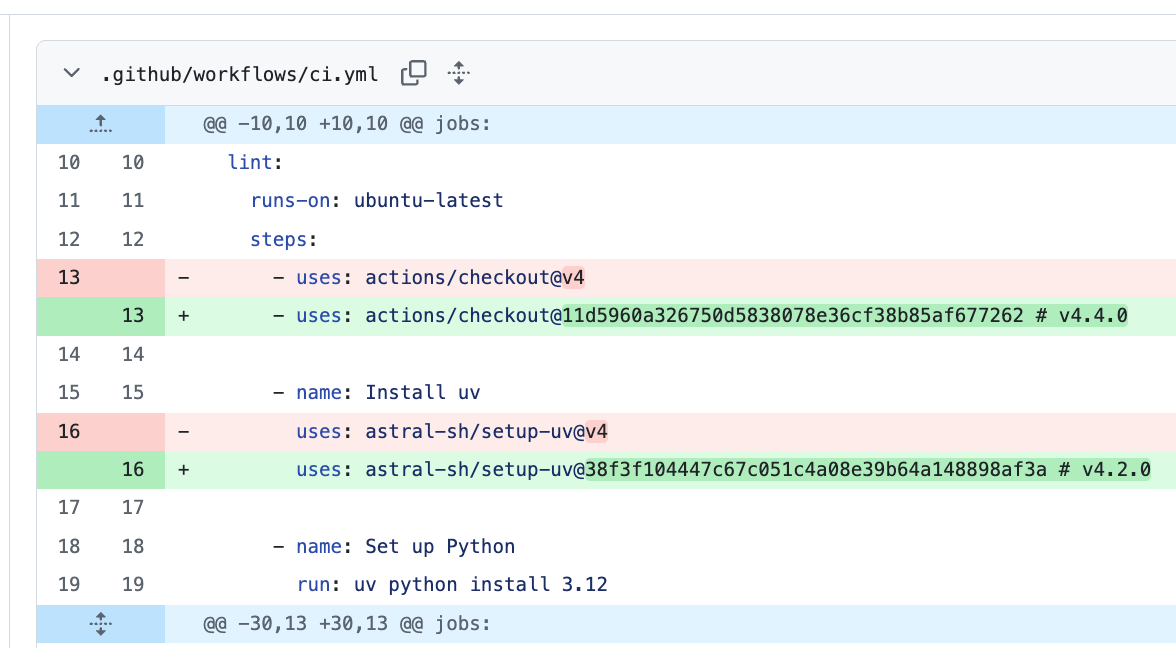
Why pinact?
It replaces actions/cache@v4 with actions/cache@sha # v4. Ratchet is also good, but I didn’t like the aesthetics actions/cache@sha # ratchet:actions/cache@v4 and more importantly this format didn’t play nicely with Renovate, since Renovate expects # v4 to help it manage upgrades.
I like that it doesn’t pin branches automatically, i.e. it won’t convert @main to @sha. We usually do this when referencing our own Actions in another repo. We often use Renovate with repos that reference Actions by branch, and it will convert things to SHAs during its first run.
Direct Branches
Most of the issues in this bucket were something like semgrep/internal-action@main, although we did have a few repos using dtolnay/rust-toolchain which doesn’t publish tags.
I created another Semgrep Workflow to onboard a repo to Renovate. This allowed us to pin SHAs, while keeping things up-to-date.
This Workflow does not package up Renovate or do the initial Renovate setup. That involves installing a GitHub app, giving it access to your repos, and configuring your presets.
This Workflow makes a PR to add the per-repo GitHub Actions that schedule Renovate and auto-approve its PRs.
Renovate will convert @main to @sha and keep it up-to-date moving forward.
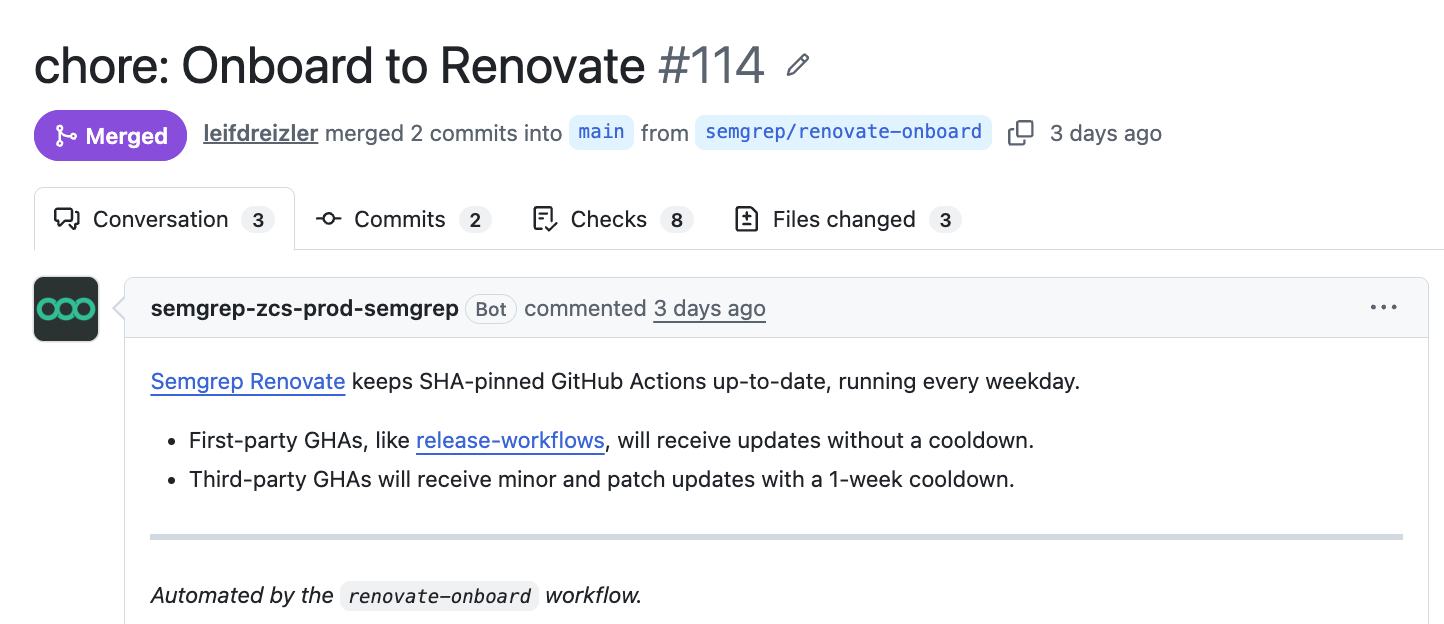 Semgrep Renovate isn’t a fork, we use vanilla Renovate. This is just what we called the Renovate GitHub app internally, you could name it whatever you want.
Transitives
Up until now, everything has been in your control. For transitively unpinned Actions, things get a little more interesting. Here are the strategies for dealing with third-party Actions that call unpinned Actions:
Check the latest version - if you’re on an older version of an Action, see if the latest version has its Actions pinned. Assuming there are no breaking changes, upgrading is the easiest option. If something about the latest version doesn’t work for you, you could check intermediate versions to see when everything got pinned and potentially use a lower version.
Make a PR - you could open a PR and pin the Actions and ask the maintainers to cut a new release. Make sure you read the repo’s contribution guidelines first.
Replicate the functionality - this can be a good option for simple GHAs, especially if the project seems abandoned.
Fix things along the way
This is a good opportunity to build some goodwill with engineering. Here’s an example.
We used to use pre-commit/action in ~10 of our repos. This project has an unpinned reference to actions/cache. This will cause GHAs to fail under the org-wide SHA pinning requirements.
Unfortunately, the Readme mentions it is in “maintenance mode” and its last release was in 2024. Luckily, replicating the functionality by installing pre-commit via uv (our preferred package manager) and using actions/cache is straightforward.
As a bonus, I added support for .python-version files which many repos use. That reduces the number of places someone needs to remember to update Python going forward.
Renovate gotchas
Overall, I had a good experience with Renovate, but like any tool, there are some gotchas. The main issues we ran into were how Renovate interacts with GitHub approvals and auto-merge.
In addition to the GHA we set up to run Renovate, we also created another GHA to auto-approve its PRs. This works great for repos where:
For these repos, the auto-approver will stamp Renovate’s PR, and then Renovate can cleanly auto-merge after CI passes.
If a repo doesn’t require approvers, GitHub won’t auto-merge. Renovate can handle this by using platformAutomerge: false. With this setting disabled, Renovate will merge its PR on the subsequent run instead of relying on GitHub’s auto-merge feature. This isn’t a big deal, but is another thing you have to configure.
If a team has set up repo-wide CODEOWNERS, but wants Renovate PRs to auto-merge, the best option we found was to relax the CODEOWNERS configuration. Unfortunately, because Renovate and the auto-approver are both apps and not users they can’t satisfy the CODEOWNERS requirements.
Here is what we ended up doing, hit me up on the Semgrep Community Slack (or any other Slack we’re in) if you know of a better option.
# CODEOWNERS example
# @team is required for approvals repo-wide, EXCEPT .github/workflows
# Changes to .github/workflows still require an approver with write access
# It just doesn't have to be someone from @team
* @team
.github/workflows
Operationalizing the rollout
I started by using the Semgrep Agentic Workflows API to trigger the detection Workflow across our repos. We had ~100 that needed pinning, which isn’t too many. Because that number is fairly low, there are some things I did manually that would be worth automating at a larger company.
Archiving
Earlier this year I archived a couple hundred repos with zero contributions in the last year that nobody at Semgrep spoke up to keep. Archiving old junk is great for projects like this; every repo you archive is one less repo to pin, and you can always unarchive if someone needs it.
I did another pass, archiving ~20 repos that needed pinning, leaving ~80 to work through.
First pass - direct tags
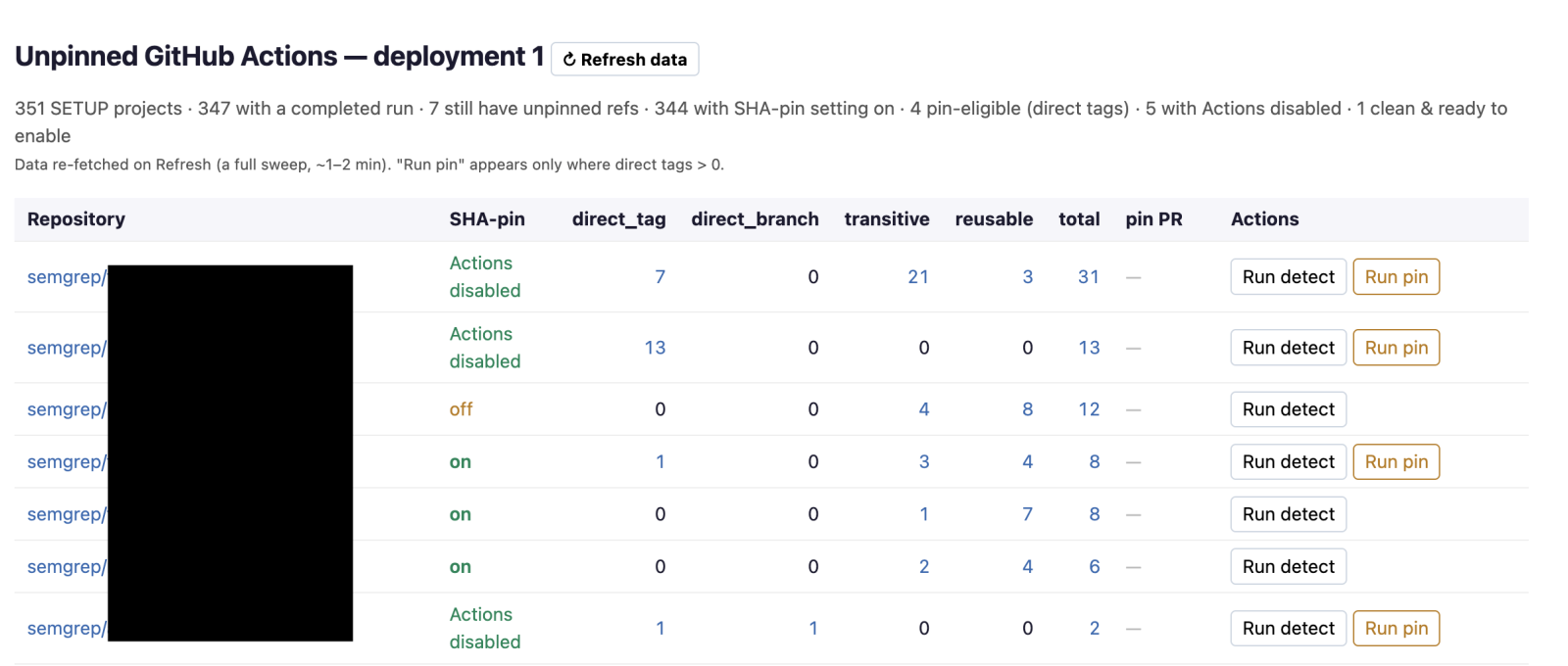
I had Claude create a local dashboard. Stuff like this is an easy one-shot. It pulls findings generated by the detection Workflow using the Semgrep API and has buttons to re-run the detection or pinning Workflows. Periodically re-running the detections across 350 repos and then refetching the data isn’t too annoying, but at a larger scale you probably want something more automated.
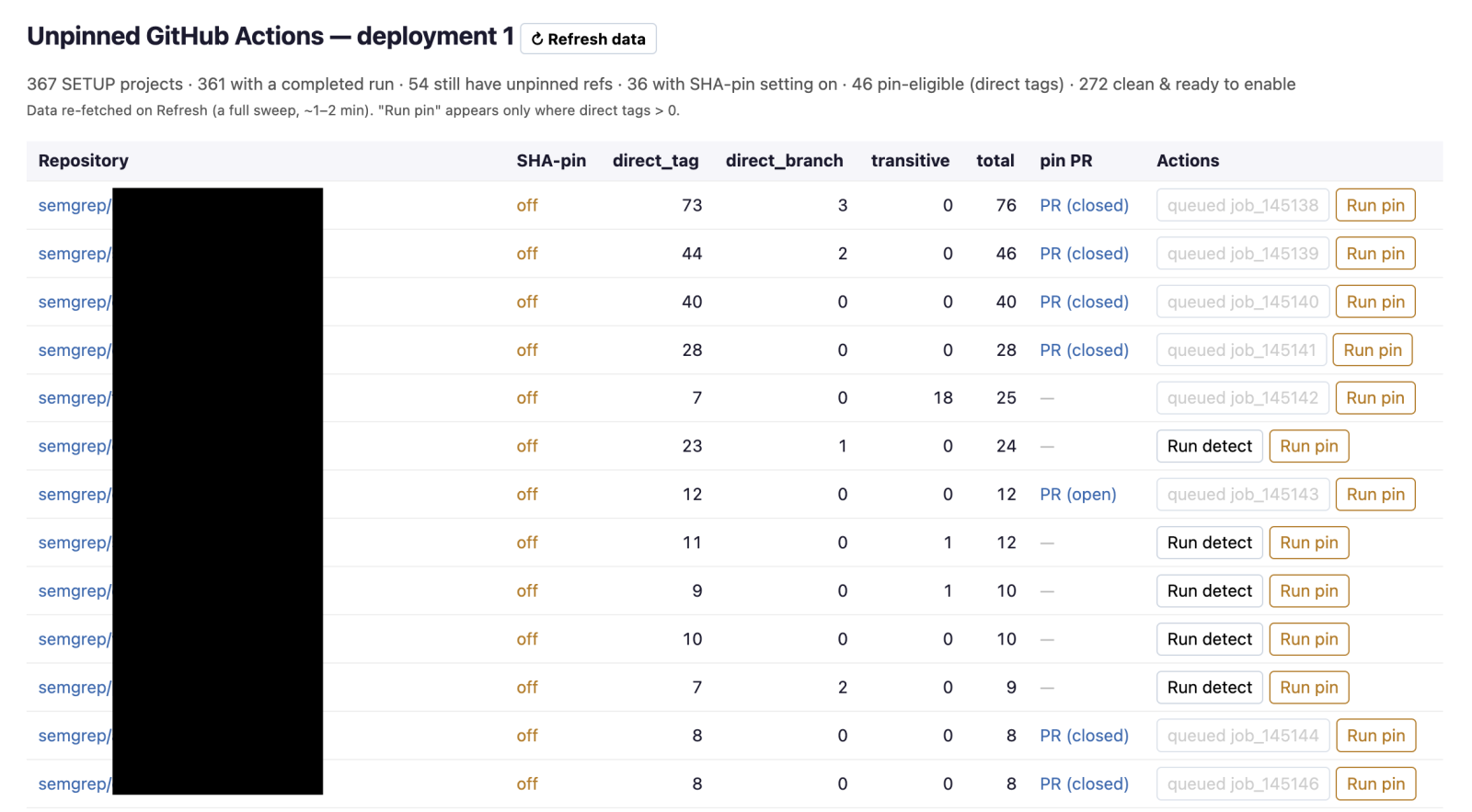 As mentioned previously, if a repo only has direct tags, those are pretty easy. I’d hit the “run pin” button in batches of ~10 to run the tag → SHA workflow, review the PRs, and merge them. This took care of ~60 of the ~80. If you needed to do 100s of these, review a few then find a way to auto-merge the rest—pinact’s changes are reliable.
Enabling per-repo pinning
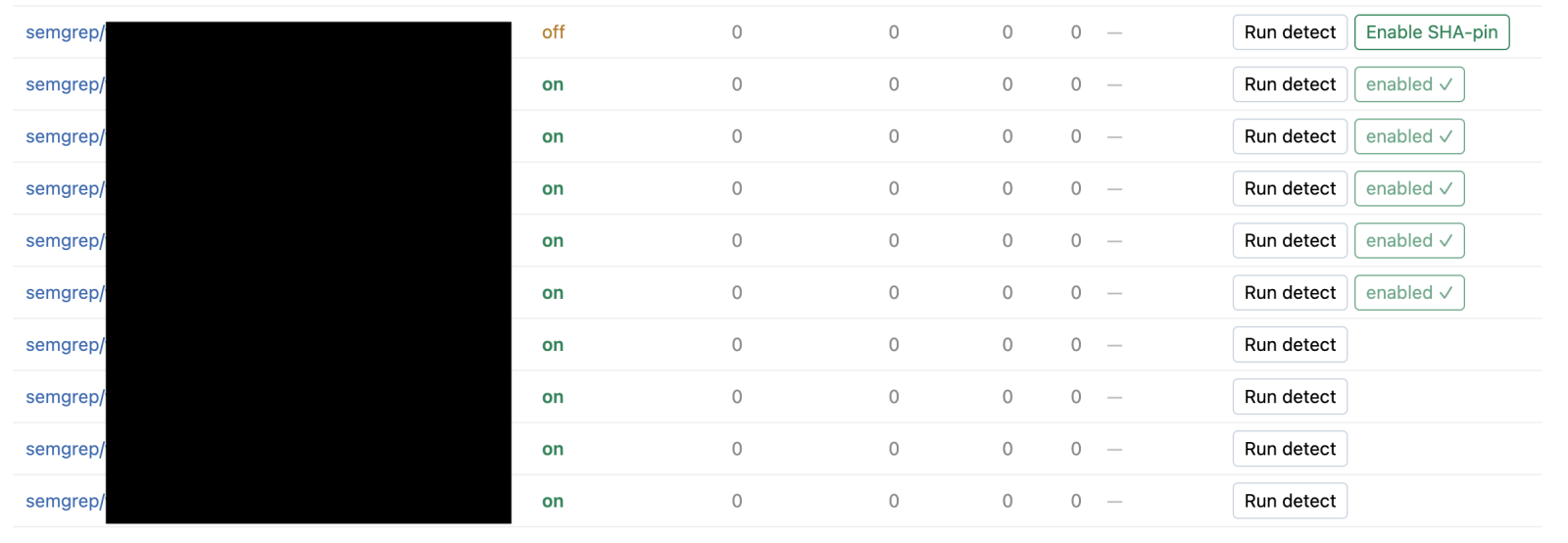 At this point I wanted to prevent repos from regressing. I had Claude add a button to enable repo-level required pinning when there were no more unpinned GHAs for a given repo.
I re-ran the detection Workflow to get the latest data and then enabled repo-level pinning for most repos.
Second pass - direct branches and transitives
After running the pinact-powered remediation Workflow, if a repo only had direct branches remaining I took a look at those since they’re generally easier. Some of these were references to actions/cache@main or astral-sh/setup-uv@main which were easy to convert to the latest release’s SHA. Others were to our own internal Actions, for those I onboarded Renovate. At this point just transitives were remaining.
Using the strategies outlined above in the “Transitives” section I worked my way through those and turned on the setting individually for each repo. I did this manually since there weren’t that many. At a larger company, I’d create Workflows to handle the common cases, e.g. update workflowA to a newer version, use this internal replacement for workflowB. I have some other Workflows for implementing cooldowns and Claude Code crushes tasks of this difficulty at scale with minimal supervision.
With the transitives done, you might be thinking I was ready to flip the switch org-wide. I was tempted to do that and call the problem done but decided to put in some monitoring just in case I broke something since the following week was Black Hat and I wanted to make it easier for folks to self-service while I was AFK.
If I missed something and broke someone’s CI, the repo-level setting could be turned off by repo-level admins, which is a nice escape hatch. The org-wide setting can only be undone by a GitHub org-level admin, of which there are much fewer.
Ultimately, this week delay turned out to be unnecessary, but it didn’t hurt anything either.
Stop the bleeding
Since I was going to let things simmer for a week and a half, I needed a way to stop the problem from getting worse.
In hindsight I maybe should’ve started with this, but I was moving pretty fast, so it didn’t really negatively impact me. I built the dashboard and made the aforementioned ~80 PRs over the course of 2 days, and I don’t think any repos got created during that time. But, I’d recommend starting here.
Use the GitHub API to find repos that have never had an Action run. Turn on the repo-level pinning requirement. These are probably repos that don’t have a .github/workflows folder, are a fork where your org has never run CI, a repo that uses a different CI provider, or maybe something brand new. In any case, the damage done by a future failed GHA run because something is unpinned is probably minimal. Plus, the fix is usually quick.
~80% of our non-archived repos had never run an Action, so pinning those was basically risk-free.
The next tip is to automatically enable the repo-level pinning setting for new repos. I used a simple cron-based GHA that checks for new repos every 15 minutes and turns on this setting. You could also use a webhook listener + AWS Lambda if you want something instantaneous but that would’ve required me spinning up some infra.
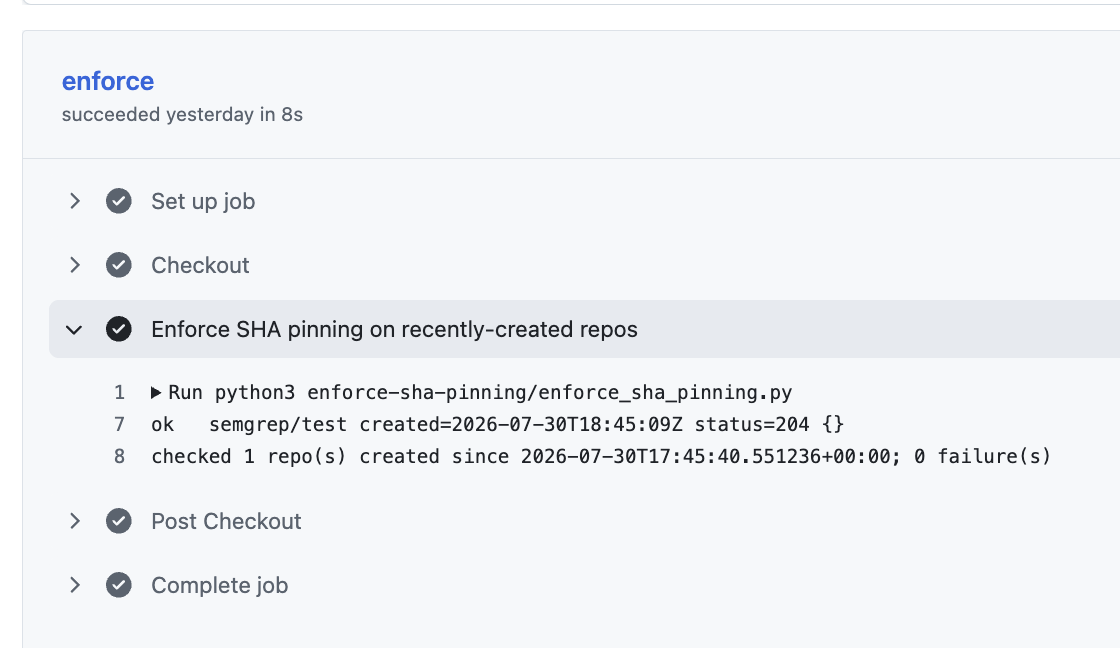 I would also recommend adding guidance to your org-wide
 claude.md file (or similar). Telling the robots to pin their GHAs is pretty effective.
Monitoring for failures
I also had Claude create a script to monitor GHA runs for pinning-related failures. The functionality is pretty simple. It would iterate over all the GHA runs since the last time the script ran and look for any pinning-related failures and output those for me to look at.

The “network-storm” mentioned by Claude was my laptop being closed overnight 🙄
For the few days leading up to Black Hat, the script ran every couple hours, and in one run it actually caught something my detection Workflow missed!
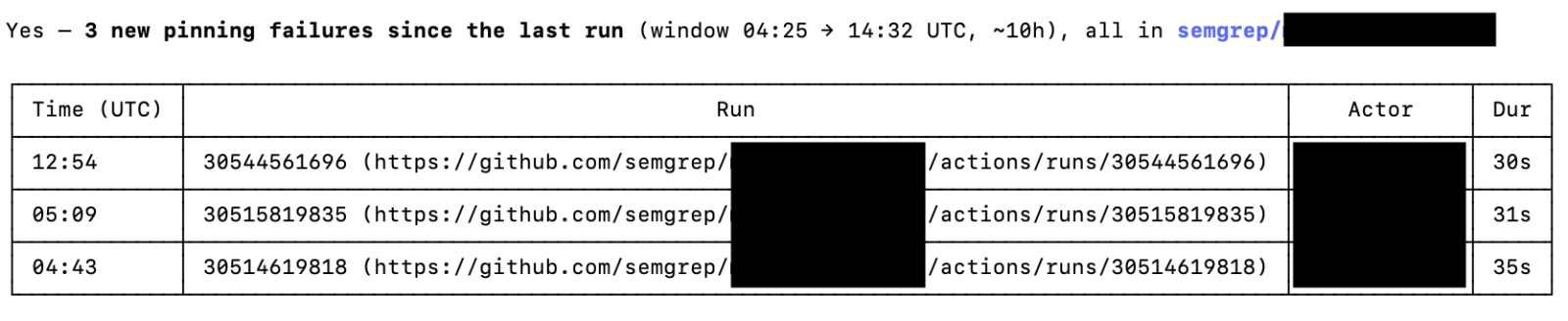 I disabled the pinning requirement for this repo and started my investigation.
Originally the detection Workflow was skipping Reusable Workflows because they don’t need to be pinned, however the Actions they call do need to be pinned. Claude dutifully updated the detection Workflow and added a column to the local dashboard.
 The final Action failing pinning was a reference to the SLSA GitHub Generator, which somewhat ironically can’t be referenced by its SHA.
Luckily, the project referencing this is still pre-production, there weren’t any customers relying on the SLSA attestations, and the GitHub Generator project is no longer actively maintained. This combination made removing the reference easy, but I was definitely sweating for a minute as I thought this might prevent me from enabling org-wide SHA pinning (remember: no exceptions!)
Flip the switch
I ran the monitor for the time period I was in Vegas and it detected two failures. One was in a brand new repo. The other was in a different repo where main had everything pinned, but the developer was making a PR from an older branch to a non-default branch which didn’t have main's changes. In both cases they were able to unblock themselves without help.
On the Monday after Hacker Summer Camp I made a final Slack post letting folks know about the change and turned on the org-wide SHA-pinning requirement for GitHub Actions. Then I got to work writing this blog so I can never think about it again 😌 Just kidding, happy to chat if you’re working on something similar.
The Rollout Guide
The blog intentionally took you through my mistakes to give you insight into how the project actually took place. Here is what I’d recommend.
Message the teams that write code about the changes. Include the actual error messages in the Slack posts and email threads so that when people search they find your post.
Write a cron and/or webhook to auto-enroll new repos in the required pinning setting.
Turn the setting on for any existing repos that have never had an action run.
Add org-wide guidance to your claude.md file. Steps 2-4 stop the bleeding.
See if your org is already using Dependabot, Renovate, etc. Determine whether you need an automated upgrade strategy and what that should look like for your org. Use this to inform future steps.
Pin GHAs for a handful of repos that represent the engineering diversity of your org, turn on the repo-level setting, monitor the GHAs for failures. If you break something flip the setting off and re-run the failed job, your peers might not even notice. Figure out what your process is missing.
Roll out your process org-wide. This is where your organizational expertise comes into play. Maybe you’re at a company with just a few repos and can do this manually, maybe you’re at an org with dozens of GitHub organizations and need to come up with something scalable and more complicated. Maybe you’re a Semgrep customer and can use Agentic Workflows.
Enforce SHA pinning for more repos, monitor for failures, work towards org-wide enforcement.
Message the org again
Flip the switch